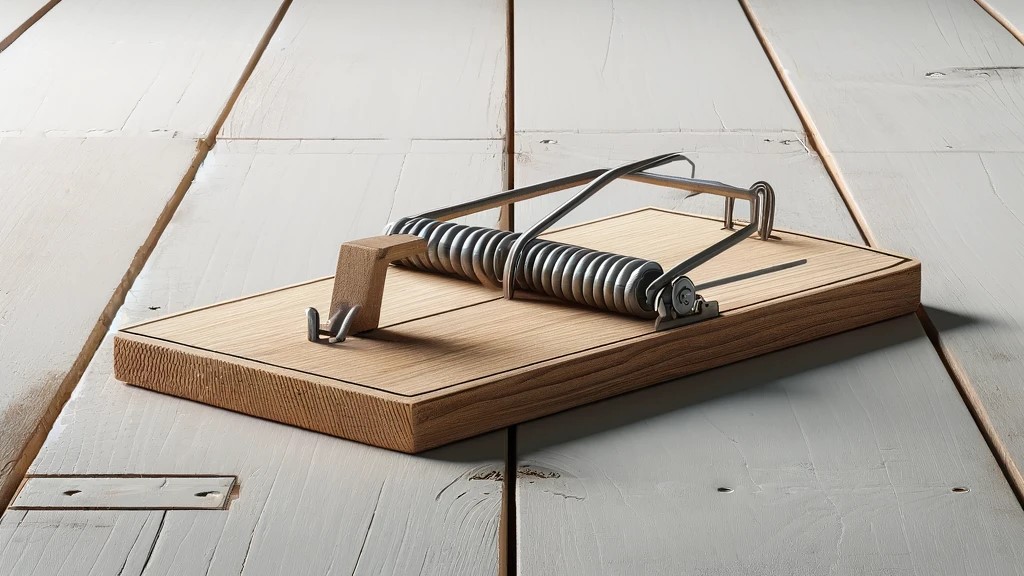
The extrude tool is often the first tool people learn to use when they pick up parametric modeling software. This is a sensible place to start because the extrude tool is a good way to introduce people to some fundamental actions in parametric modeling.
This is how I started when I first started learning Fusion 360, Autodesk Inventor, and SolidWorks.
However, it turned out to be a trap.
As I progressed, I developed a bit of a dependency on the extrude tool, because it was the tool I was most familiar with.
Frequently, I would get partly through a design and realize that I had made my life more difficult than necessary by using the extrude tool when another tool would have been more efficient and easier to work with as I created more features and components.
This is the trap I had walked right into: I had developed competency without any expertise. I had learned how the other tools worked, but hadn’t developed the skill of recognizing which tool was most efficient in a given situation.
What I was doing was not developing expertise. Since that’s my overarching goal in learning engineering, design, and drafting, I had to do something different.
To wrench myself free of this trap I had walked into like an idiot, I did a few simple exercises.
First, I practiced creating models without using the extrude tool, even if it would have been ideal.
Then, I practiced creating models using only a certain modeling tool, even if it was an absolutely horrible tool for the job.
The goal of these exercises was three fold:
- Develop more familiarity with all the tools available in parametric modeling software. I had learned how to use all of the tools in a sort of rote memorization sort of way, but I was very bad at recognizing when each tool was the best one to use.
- Learn what certain tools definitely couldn’t do. If you have to choose from a list of options, it’s helpful to know which options are definitely not going to work, because you can immediately rule those out and choose from a much shorter list. A short list, if you will.
- Lastly, it gave me the information I needed to create a principle to help guide my tool selection as I created models.
One of the things I learned as I suffered through my unrealistically constrained workflows is that sometimes it would be quick and easy to use one tool to create a feature or component. However, it would be more difficult to update the design if I needed to make revisions.
In a real world environment, this is very bad. It’s insanely important to create drawings and models in a way that makes them as easy as possible to revise.
Maybe ‘insanely important’ seems a bit strong. What’s the big deal if it takes a little longer to revise a drawing or model?
Well, there are not one but two big deals. Deadlines and budgets.
Here’s a normal work thing that happens in basically every industry:
A project is going well. The engineering is done. All the drawings are complete. You’re getting close to firing off some deliverables. Nice.
Then the client calls and says they actually need some change that should totally be no big deal, just a quick little thing that requires you to update all of the engineering documents and drawings.
Worse of all, some knucklehead responded in writing that it would be no problem, and there would be no need to change any deadlines or project pricing.
Now you have to update a bunch of stuff on the same timeline and budget.
Suddenly, every extra minute you and your team spend on this project is super expensive and threatens to put the project into the red and turn your deadlines into science fiction.
If only there were some way to plan for this!
Good news: there is.
Always use the tool which creates the model in a way that makes the model or drawing easy to revise.
This is one of the principles I follow when I decide how to create a feature or body.
Yes, it sometimes takes a little longer to create the model.
However, it’s more than worth it to make my life easier when a project turns into a pressure cooker.
For instance, I usually try to put as much information in my sketches as possible. That way, if I need to update a model later on, I can usually just edit the sketch to get what I need, rather than having to edit the sketch and a feature.
Sometimes this means doing something such as using the revolve tool to create a straight metal rod, when I could easily use the extrude tool.
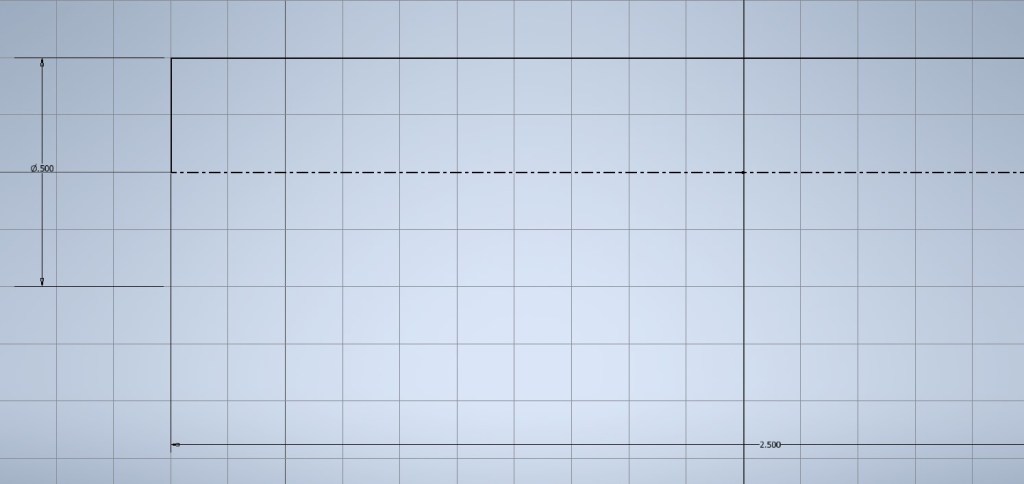
In this case, using the revolve tool puts all the dimensions for the component in the sketch and gives me a centerline that can be useful if I need to create a printable drawing.
Now, if I need to change the diameter and length of the rod, I just open the sketch and change the dimensions. If I extruded this piece, changing the diameter would mean editing the sketch and changing the length would mean editing the feature.
It’s a small thing, but it makes a big difference when you’re updating a million models for a complex assembly. Hours are just a bunch of minutes, and minutes are just a bunch of seconds.
So saving seconds matters.
Speaking of saving seconds, you don’t have to go through my crazy exercise of creating models without the extrude tool or just one tool, if you don’t want to.
And why would you? No smart person wants to intentionally make their life suck.
Fortunately, I find that simply working to create a drawing that’s easy to revise usually narrows my options to just a couple of techniques, and sometimes eliminates all but one way of doing things.
Follow the principle, and you’ll get better at using the various different tools, because you’ll have to use them. Also, you’ll have to make fewer decisions, which means fewer opportunities to make the wrong decision.
Then you’ll look like a genius when the deadlines and budgets are closing in like a pack of wolves. Leave the idiocy to me.
 Classical Manufacturing