When I first started modeling and designing, I only sort of used the origin as a concrete reference point.
Yes, I would start my model at the origin. But, after that, my models would drift off as I modeled out from my starting point.
The finished model would often be randomly offset from the origin.
It’s not a deal breaker. But it’s not great to have a model that’s randomly oriented around the origin, especially if you need to make changes or reorient the model later on.
Now, I pay more attention to how I use the origin. I’m more careful to keep the model related to the origin in a more sensible way.
I first learned this idea from Tyler Beck of Tech and Espresso, who is a real mechanical engineer (I’m just a guy with a computer). And it made a lot of sense.
Keeping the model oriented around the origin enables you to use the origin for anchoring sketches and creating features. It also makes it simpler to update the model.
These are my thoughts and the design processes I’ve developed to use the origin more intentionally.
Does the origin have to be the exact center?
No. The goal isn’t to get the origin to be the exact center of the object from all angles. That would take far more work than it’s worth.
The goal is to keep the origin at the focal point of the object. That way you can use the origin sketch planes more easily and use the origin as a reference to anchor your sketches.
If your model is offset from the origin in a way that makes it challenging to reference the origin, you’ll end up doing more sketches on offset planes and referencing other features and sketches to fix new sketches.
It’s much easier to reference the origin, since it’s always in the same place. And it makes your model respond more predictably if you have to make changes to the finished version.
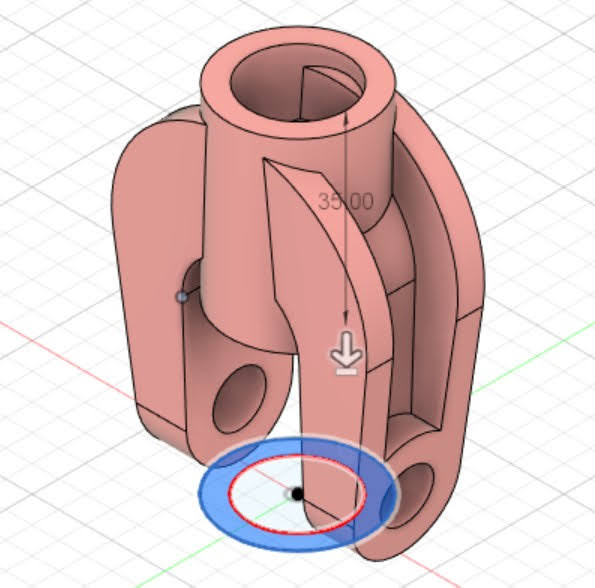
Yes, sometimes you want features to reference each other to build intelligence into the model, that way updating one feature will update the associated features.
But things can get rough if you have sketches and features that reference one another haphazardly.
You’re gonna have a bad time if you make a change to a sketch or feature early in the timeline and your model goes crazy, because there are relationships that were less than intentionally established.
Essentially, focusing models around the origin is a relatively lightweight planning method. Rather than trying to keep in mind how all the sketches and features relate to each other, you can reference the origin as much as possible to create a more sensibly organized model without mentally tracking a conspiracy theory web of relationships.
How to keep the origin at the heart of your models
This section could get crazy detailed, which would be a classic engineer move. But, I’m going to stick with a few things that I find easy to keep in mind as I work.
Use your intuition to orient models
Sure, it might be easier to work with the finished model if the origin were at the exact center of the model.
However, that can be tough to manage, because you need to have a pretty well-formed idea of the finished product to build it out from the true center.
Usually, I base models on the XY plane, so that the finished model appears to be sitting on some sort of ground plane. From a user experience perspective, this makes models easier understand, because our brains are accustomed to things sitting on the ground.
Though, it makes sense to base the model on the front plane. In these cases, the origin will sometimes remain closer to the true center of the model, which kind of makes the finished model look like it’s floating in space. But that’s not a deal breaker.
The upshot here is that it make sense to orient your models so they sit on the ground plane, so long as it makes sense to put the base sketch on the ground plane and build the part from the ground up, so to speak.
On the other hand, it’s pretty easy to keep the origin near the true center of the model if you start the sketch on the vertical plane. It’s pretty simple to use asymmetric extrudes and other features to keep the origin in the middle.
And that brings me to the next point: using symmetric features.
Use symmetric features
I use Autodesk Inventor and Fusion 360 most of the time. And this technique is pretty simple in Autodesk 3D modeling software. It’s a little trickier if you use SolidWorks. But it can still be done.
As a note — and this might be proven wrong someday — orientation around the origin seems to be less of an issue in SolidWorks.
It’s still important to use the origin in SolidWorks. But models seem to behave well enough in SolidWorks even if the model is oddly related to the origin.
In Fusion 360 and Inventor, though, I find models that are weirdly related to the origin to be incorrigible. Models that are not sensibly related to the origin are brats who will mock you if you try to move them around or modify them.
Coming back to using symmetric features, it’s an easy way to keep the origin in the middle.
You can put sketches on one of the base planes, and build the model out symmetrically. That way the model doesn’t end up offset in on direction or another (though it might be offset from the horizontal plane, if you use that as a ground plane).
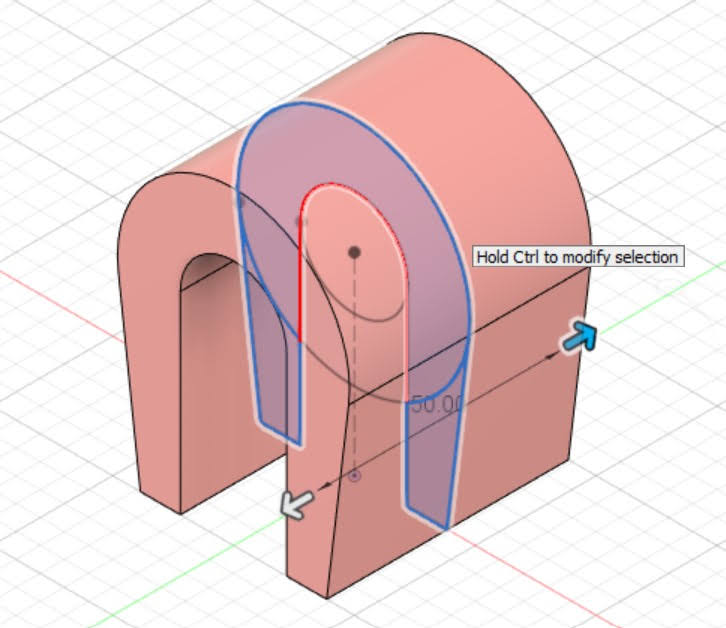
Additionally, putting sketches on the base planes makes them easy to locate and work with.
Sometimes you have to sketch on a face or construction plane. But it’s nice to have all or most of your sketches on the base planes.
And I already spoiled my last point.
Put sketches on the base planes when you can
Lastly, I put sketches on the base planes whenever it’s possible.
This makes it easier to use the origin to define sketches. And, if you’ve ever wracked your brain to figure out how to get a sketch to be fully defined, having a reference point that you can use to define sketch elements is a welcome asset.
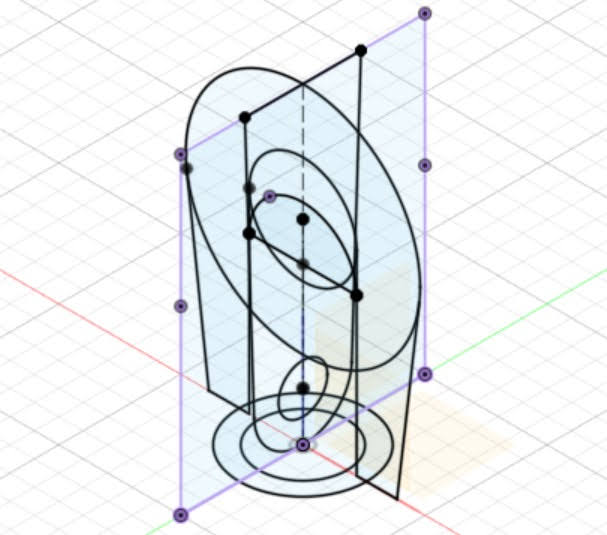
It’s not always possible to sketch on the base planes. Sketching on faces and construction planes is sometimes unavoidable. But I stole my own thunder in the last section, so there’s that.
Return to origin
If you design your models with the origin at the heart, it makes it much easier to orient the model, take measurements (it’s simple to interpret the grid coordinates if at least one of them starts at zero), and modify the model later on, when changes inevitably need to be made.
 Classical Manufacturing